
What is deep linking?
Deep linking is a technique that sends users from an external source, such as an ad, email, SMS, or QR code, directly to a specific screen or piece of content inside a mobile app, rather than to the app’s home screen.
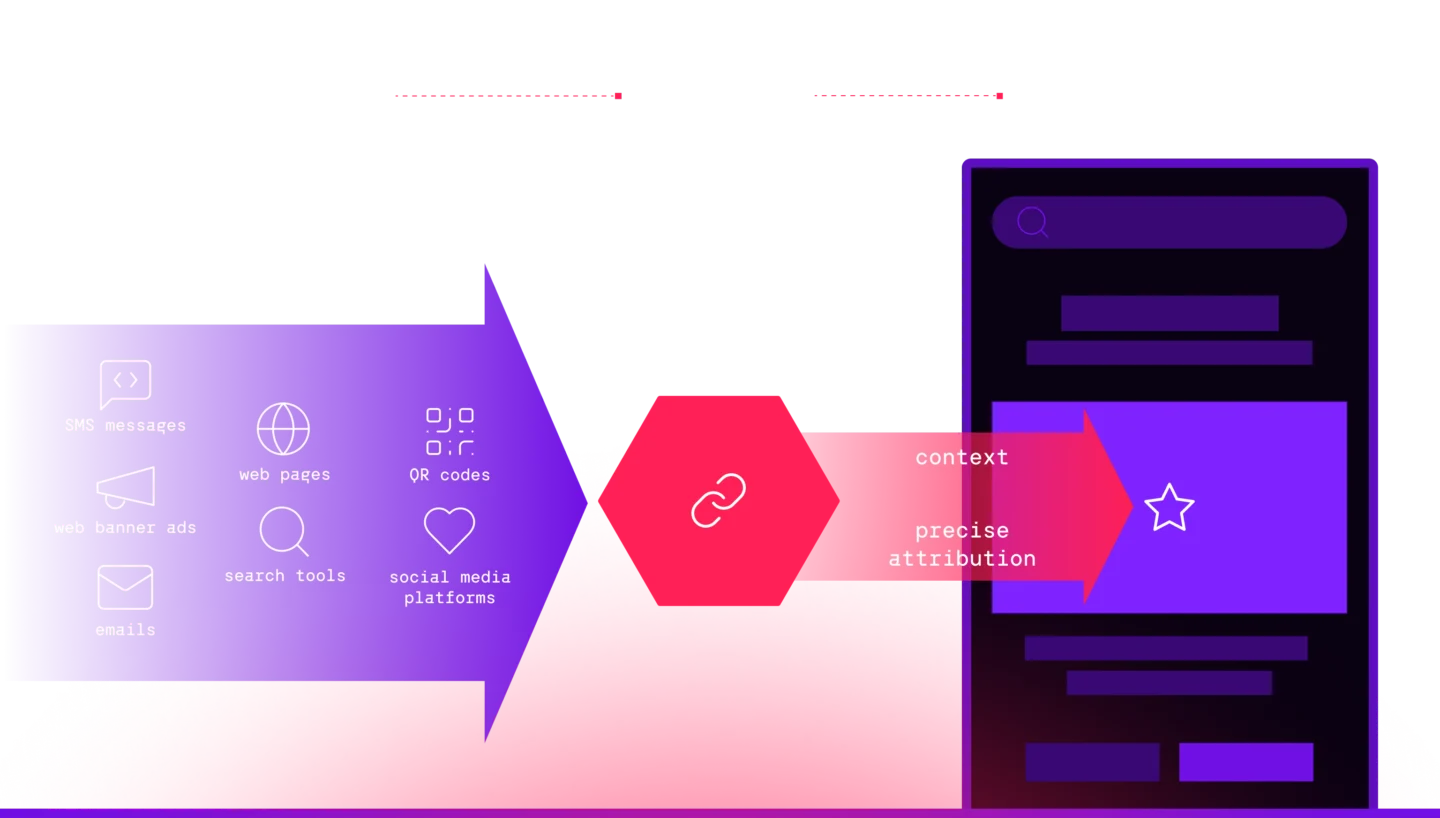
For example, suppose a user of your app wants to share a particular screen with a friend. A mobile app deep link enables them to send the friend directly to that screen, so the friend doesn’t have to search or navigate to find the desired content.
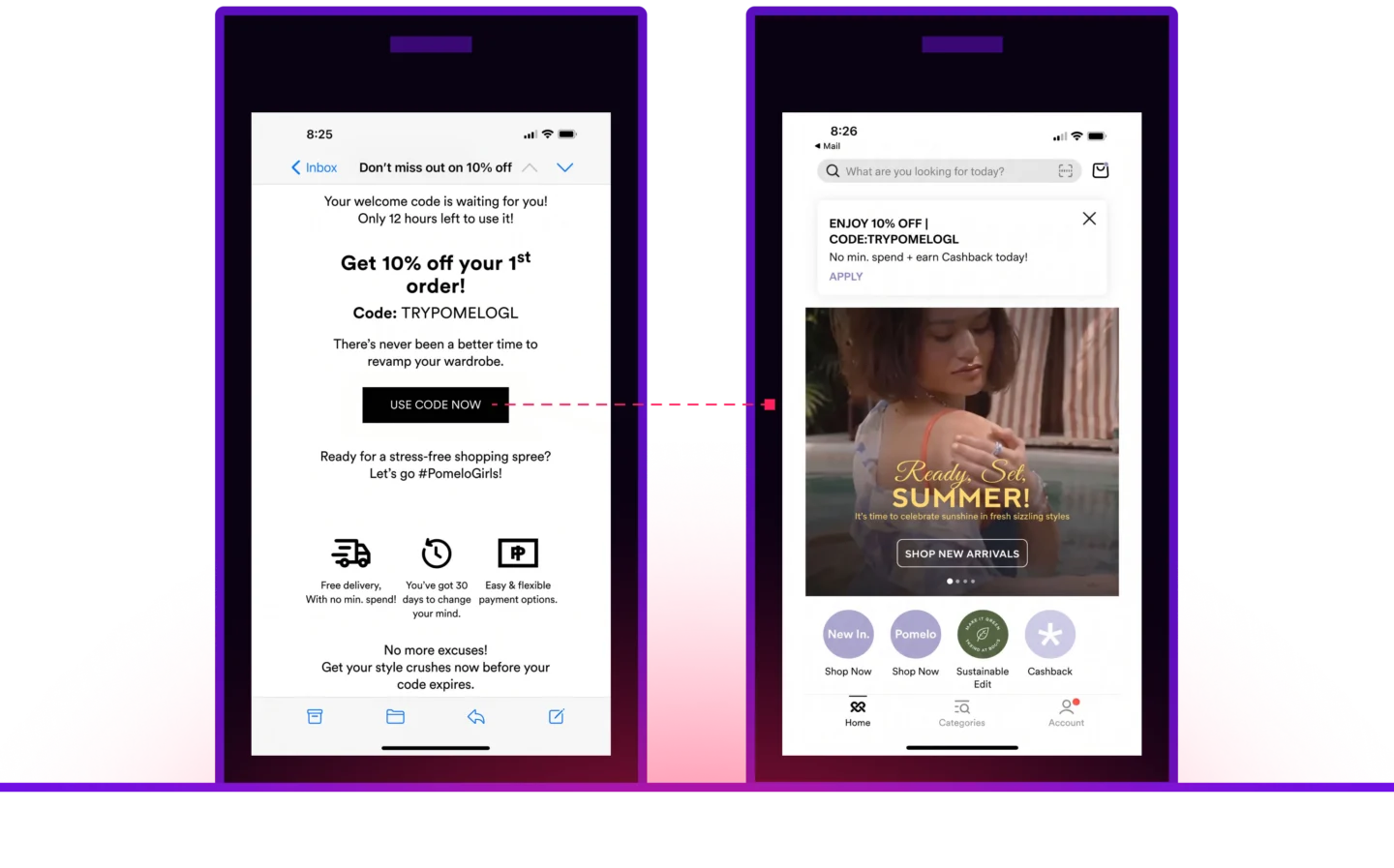
Types of deep links
For users, deep linking provides easy access to specific app content. But this streamlined user experience can be complex to create. Several competing systems offer deep-linking functionality, and organizations typically have to use more than one to create reliable linking experiences across the channels, platforms, and devices their users use.
- URI schemes. A Uniform Resource Identifier (URI) is similar to a URL, but rather than http:// or https:// it looks something like myapp://. Tapping a myapp:// link prompts an app (e.g., MyApp) to open and navigate to the specified content within the app’s interface. For years, URI schemes were the primary method of deep linking into mobile apps for both iOS and Android devices. The problem with URIs is that they don’t work on devices that don’t already have the app installed. In addition, multiple apps on a device might use the same URI scheme, potentially resulting in links pointing to the wrong app.
- Universal Links. First introduced with iOS 9, Universal Links represent Apple’s second-generation deep-linking standard. They are standard web links (e.g., https://…) that point to both a mobile web page and a location inside an app. When a user taps a Universal Link, iOS determines whether the device has the associated app installed. If so, it launches the app and navigates to the designated content. If not, it takes the user to the website, which can include a redirect to the app within the Apple App Store. This eliminates frustrating 404 errors when users tap links for apps they don’t have installed. Challenges with Universal Links include that they are incompatible with some major app platforms and don’t work in email campaigns.
- Android App Links. Similar to Universal Links, but for Android devices, App Links use a unique URL to take users either to specific content in an app (if the app is installed) or to a mobile website. They do not work with deferred deep linking.
- Deferred deep links. Whereas deep linking immediately routes users to the relevant content within installed apps, deferred deep linking enables marketers to direct users to desired content even if the user hasn’t yet installed the app. A deferred deep link works like a standard deep link for users who have the app installed. For those who don’t, it takes the users to the app store, installs the app, then automatically routes them to the desired in-app content.
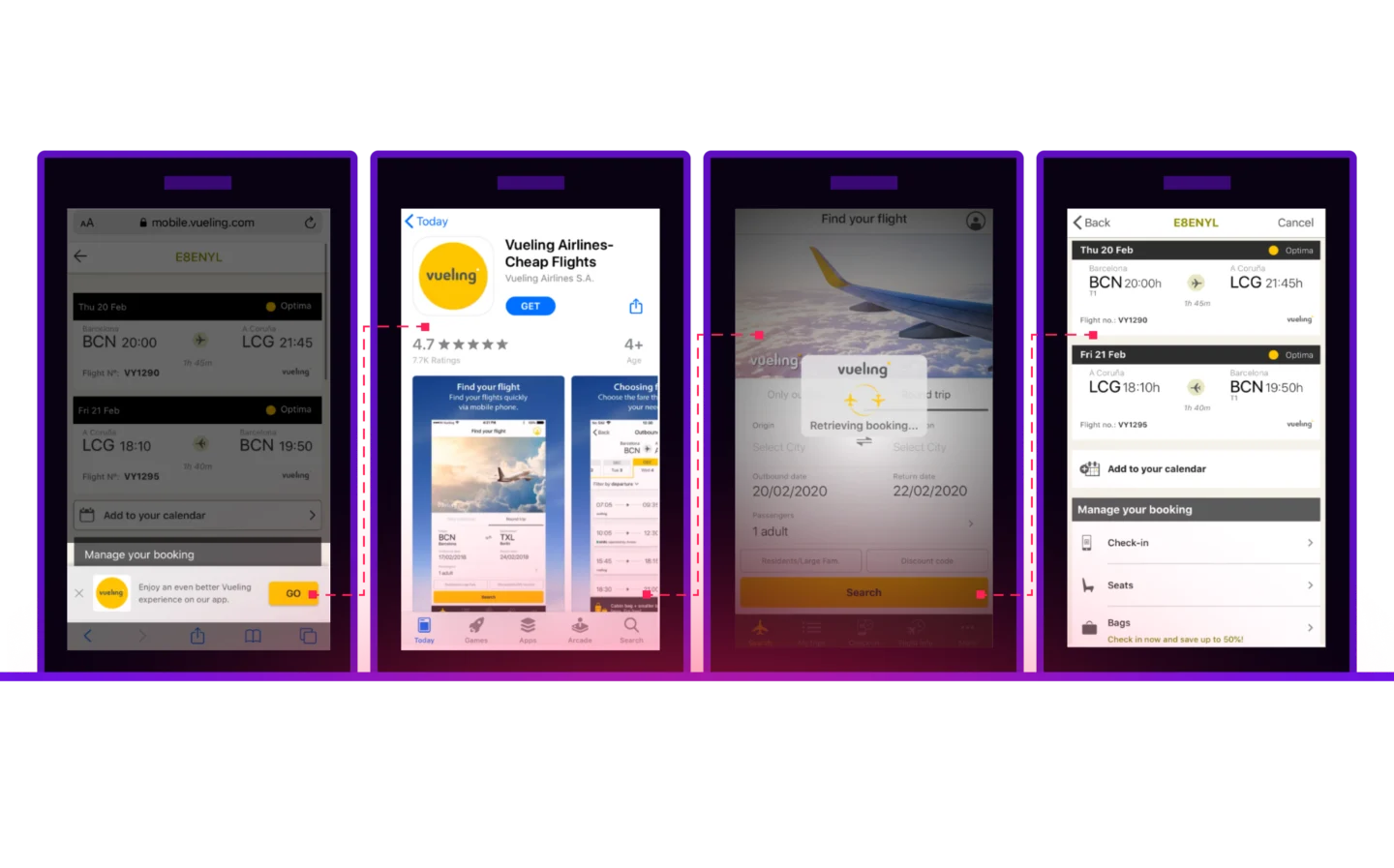
- Contextual deep links. Contextual deep linking works much like basic and deferred deep linking, except that contextual deep links pass user data (location, referrer, promotion code, search query, etc.) to the app. This enables the app to more precisely target the right in-app content for that user.
Why deep linking matters
Getting deep linking right enhances user experiences. By taking users straight to desired content from a range of channels, deep links streamline navigation inside your app. They also let you personalize the user journey, directing each user to tailored content depending on their expressed interests or past interactions. Less click-to-content friction means higher user satisfaction, more loyalty, and a better chance users come back to your app.
Deferred deep linking also makes app onboarding seamless because it carries context across the install. When someone taps a link but doesn’t have your app yet, deferred deep linking sends them to the app store, and once they open the newly installed app, it still routes them straight to the content that prompted the download instead of dropping them at your home screen. That continuity is what makes targeted promotions, such as dynamic web smart banners and QR codes that link to specific in-app content, so effective at driving app acquisition and engagement. It matters for retention, too. Seventy-seven percent of mobile apps get deleted within three days after installing them, so getting people to relevant content right away gives them a reason to stick around.
Ultimately, taking users to the content they are most interested in without navigation headaches or unnecessary taps increases download and conversion rates, driving up app revenue.
How deep linking supports attribution
Marketers can use deep links in almost any user touchpoint, including social media posts, smart banners, QR codes, ads, and emails. Each deep link carries parameters like campaign, source, and medium, and logs those parameters whenever someone taps the link, installs the app, or takes an action inside it. Mobile measurement partners (MMPs) or analytics platforms aggregate that data into attribution reports, so you can see exactly which campaigns and referral sources are driving installs and engagement.
Deep links send users directly to the intended content within an app, streamlining their experience of reaching that content.
Deferred deep links function like a basic deep link when the app is already installed. If the user doesn’t have the app installed, they take the user through the install process, then on to the desired content.
Deep links improve user experiences by reducing friction and unnecessary taps in a user’s interaction with an app. This smoother journey can boost user satisfaction with, and loyalty to, the app.
A standard deep link gives you one routing path, typically a URI scheme or a manually configured Universal Link, and if that mechanism fails, the link just breaks. Branch links move through a fallback chain instead. Branch hosts the Apple App Site Association AASA and Digital Asset Links files for you, routes through Universal Links or App Links when those work, and automatically falls back to a URI scheme in contexts like Instagram or TikTok where the preferred mechanisms get blocked. When you add your app credentials once in the Branch Dashboard, Branch handles the routing logic and file hosting so your team isn’t maintaining it manually.
AI can generate code for a basic deep linking, but writing code isn’t the hard part. The complexity lives in debugging the thousands of edge cases that break links in production — things like walled gardens and platform updates. That’s why 24% to 35% of deep links break.
We asked leaders and innovators from brands you love about their mobile growth strategies and success stories.
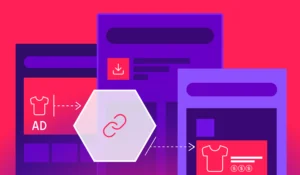
Route users straight to in-app content with Branch deep links. See code examples for Android, iOS, Flutter, and React Native, plus routing best practices.
Unlock seamless app experiences with deep links. Enhance onboarding, boost engagement, and drive growth by directing users exactly where they want to go.