If you’re running any kind of marketing campaign, you need to know what’s working. That means tracking more than just traffic. It means tracking the right links.
URL tracking gives marketers the power to tie every click back to a source, campaign, and channel, unlocking actionable data to optimize performance and prove ROI. Not all tracking methods deliver quality results. Without the right tools or setup, you risk losing data across platforms, channels, or devices.
What is URL tracking, and why does it matter for app businesses?
For app businesses, URL tracking comes with challenges that traditional web analytics wasn’t built to handle. When a user clicks an ad on their phone, gets redirected to the App Store, installs your app, and opens it three days later on a different device, standard web analytics loses the thread entirely. Attribution handoffs between web and app environments create measurement gaps that cost you visibility into which campaigns actually drive installs and revenue. Cross-device user journeys compound the problem further, making it difficult to connect a user’s first touchpoint to their eventual conversion without purpose-built tooling.
A web company can follow a user across a browser session using cookies and referrer data. App businesses have to account for app store redirects that strip parameters, iOS privacy restrictions that limit identifier-based tracking, and users who move between devices before converting. That complexity makes mobile app install attribution a discipline of its own. App businesses need unified measurement across web and app environments, not just a UTM tag and a dashboard.
How URL tracking works
A tracking URL is a modified version of a standard link that includes special parameters to record specific details about a user’s journey. This additional data, often added through query strings, help marketers determine where traffic is coming from and what it’s doing once it arrives.
Tracking code, such as UTM parameters or custom campaign tags, powers most tracking links. When a user clicks on the tracking URL, it routes them to the intended website URL, sometimes through one or more redirects. During that process, data is captured and sent to an analytics platform.
Once set up, these tracking links generate actionable metrics ranging from click-through rates (CTRs) to bounce rates to conversion rates, allowing you to monitor campaign performance with far more precision than raw traffic numbers alone.
Benefits of tracking URLs in campaigns
URL tracking gives marketers the data to optimize their campaigns based on actual performance. Whether you’re running paid ads, organic content, or multichannel outreach, URL tracking powers better campaign tracking and more efficient spend.
It also helps teams identify performance issues faster, making it easier to adjust campaigns before wasted spend compounds. When paired with behavior analytics tools, tracking helps surface valuable insights about user behavior, like which links drive engagement, what devices are being used, or where drop-off occurs in the funnel.
By mapping the path between clicks and conversions, URL tracking improves attribution, helping you give credit where it’s actually due.
Examples of campaigns using URL tracking
Nearly every campaign, regardless of channel or objective, benefits from URL tracking:
- A social media team running posts on multiple platforms uses tracking URLs to compare Instagram performance to X (Twitter) or TikTok.
- An email campaign promoting a product launch includes separate tracking codes for each call-to-action (CTA) button and image link, revealing to marketers which drives more clicks.
- Performance marketers launching ad campaigns on Google and Facebook use unique URLs to measure how each platform and ad set performs.
- A blog team focused on driving traffic to product pages uses UTM-tagged links to differentiate between organic, paid, and referral sources.
- A B2B company shares a lead magnet on LinkedIn and uses a tracking URL to isolate results from paid posts and organic posts.
- Large-scale digital marketing campaigns deploy hundreds of short links across web, mobile, and email to measure impact at scale.
The 4 main URL tracking methods for apps
App marketers can’t rely on a single tracking method due to the fragmented nature of mobile user journeys, spanning web, app stores, and in-app environments. You need a layered approach where each method covers gaps the others leave open. The right combination depends on your campaign goals, technical constraints, and attribution requirements. Some methods work best for top-of-funnel awareness, others for deterministic install attribution, and others for closing the measurement loop on paid channels. There are four core methods:
1. Using UTM parameters
UTM parameters are the most widely used method for URL tracking. These tags are appended to URLs to identify the source, medium, and intent of traffic.
Here’s a breakdown of the most common UTM parameters:
- utm_source: Identifies the platform or origin of the traffic (e.g., Facebook, newsletter)
- utm_medium :Specifies the type of traffic (e.g., email, CPC, social)
- utm_campaign:Defines the specific campaign name for the promotion
- utm_content: Differentiates versions of a creative, such as A/B test variants
- utm_term:Tracks paid keywords in search engine ads (often used with Google Ads)
When you’re building tracking links using a campaign URL builder, many tools will autogenerate these tags for you. Some platforms allow you to save a template so you can standardize parameters across teams.
To get the most out of UTM parameters, always include a consistent campaign source, campaign medium, and campaign content, especially when comparing multiple channels. This ensures your analytics platform can correctly bucket and attribute performance data.
2. Using shortened links
UTM-tagged URLs can be problematic for direct sharing on platforms with character limits or in environments where a clean aesthetic matters.
Most shorteners convert long URLs (including ones with detailed tracking parameters) into concise, branded links. You can share these across social media, SMS, print, or affiliate networks without them looking cluttered.
Some URL shorteners provide insights into CTRs which reveal links that perform best and where users are engaging. This is helpful for top-of-funnel testing or influencer-driven campaigns where branding and performance go hand in hand. For a full breakdown of the best options available, read our guide to URL shorteners for marketers.
3. Using deep links for advanced attribution
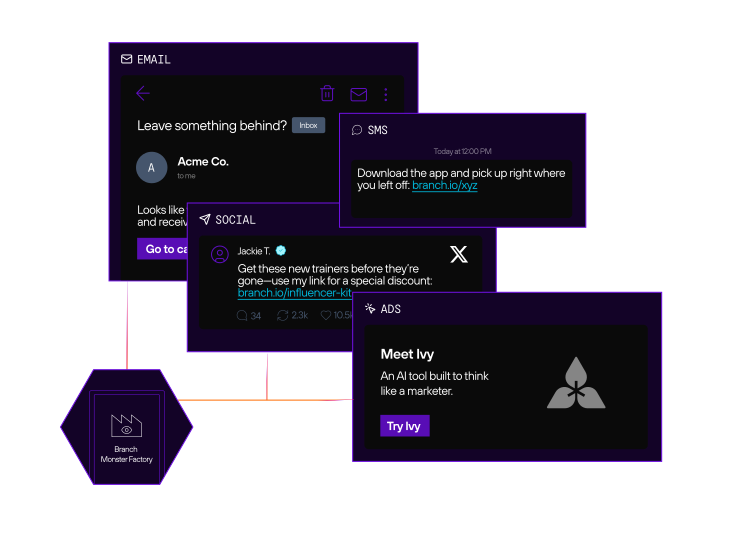
Basic UTM tracking shows you who clicked a link, but deep links go further. They route users directly to a specific screen or product inside a mobile app, improving both the landing page experience and downstream engagement.
This is particularly powerful when tracking referral campaigns or user acquisition funnels. With deep linking, the context of the original link (e.g., source, medium, creative) can be passed through install flows, even on iOS, where privacy changes have made traditional attribution more difficult.
Branch creates deep links that preserve metadata, enabling full-funnel attribution from click to conversion. This gives marketers a complete picture of performance across the entire mobile journey.
Read our blog on understanding the difference between universal links, URI schemes, app links, and deep links,andcheck out our Definitive Guide to Deep Linking.
4. Platform click IDs and first-party tracking
Platform-specific click identifiers provide an additional attribution layer that complements UTM tracking. Google’s gclid and Meta’s fbclid are automatically appended to URLs when users click ads on those platforms. These identifiers carry richer signals than UTMs alone, connecting ad impressions, clicks, and conversions directly within each platform’s attribution system for more accurate reporting on paid campaigns.
First-party tracking parameters go further by capturing data you own and control, independent of third-party cookies. As browser privacy restrictions tighten and third-party identifiers become less reliable, first-party data collected through your own tracking infrastructure becomes increasingly valuable.
Combining platform click IDs with UTM parameters and deep linking creates overlapping attribution signals, helping preserve visibility when one handoff point loses data. This layered approach is the most resilient tracking architecture for app businesses operating across multiple paid channels. This is necessary since privacy features like Safari’s Advanced Tracking and Fingerprinting Protection automatically strips gclid and fbclid from URLs when users browse in Private Browsing mode. You can no longer rely on click IDs alone; a robust first-party server-side setup is mandatory for resilient tracking.
Building a URL tracking taxonomy that scales
A URL tracking taxonomy is a shared system of naming conventions, approved parameter values, and governance processes. It’s what separates teams that generate clean, actionable data from teams that spend hours reconciling fragmented reports. Getting this right early pays compounding dividends as your campaigns scale across channels, regions, and teams.
UTM naming conventions and parameter governance
Inconsistent UTM naming is one of the most common and costly tracking failures. When one marketer uses utm_source=Facebook and another uses utm_source=facebook, your analytics platform treats them as separate sources, understating Facebook’s true impact and corrupting cross-channel comparisons. The same problem occurs with separators, abbreviations, and campaign name formats when there’s no documented standard.
A naming convention your whole team actually follows corrects this. Start with these fundamentals:
- Case sensitivity: Lowercase across all parameters is the safest default. Mixed case creates phantom sources that are difficult to clean up retroactively.
- Separators: Use underscores rather than hyphens or spaces. Spaces in URLs encode as %20 and break readability. Hyphens create ambiguity in some analytics platforms.
- Approved value lists: Define and document the accepted values for utm_source, utm_medium, and utm_campaign type before campaigns go live. New values should go through a review step, not be created ad hoc.
- Enforcement: Solve this at the tooling level by using a centralized link creation tool with dropdown menus rather than freeform text fields, making consistency the default rather than an aspiration.
Designate a single owner for UTM governance. Without one, standards drift the moment a new team member or agency joins the mix.
Campaign brief templates and cross-channel consistency
Naming governance works if it’s embedded into your campaign workflow from the start. Build UTM parameter fields directly into your campaign brief templates so tracking decisions happen before links are created, not after. Each brief should specify the approved source, medium, campaign name format, and any content or term values relevant to that campaign.
For cross-channel campaigns, create a master tracking sheet that maps every link to its parameters, destination URL, and channel. This serves as both a QA tool and a historical record that makes future campaign analysis faster.
Top URL tracking tools for app businesses
For app businesses, you need solutions that handle cross-platform attribution, preserve tracking parameters through app store redirects, support deep linking, and offer developer-friendly APIs that integrate with your existing stack. Here’s a breakdown of the widely used platforms and where each fits.
Branch
Branch is purpose-built for app businesses that need more than basic click tracking. Branch preserves campaign metadata through installs, reopens, and cross-device journeys. Standard analytics tools lose the thread in the app store redirect. Branch gives growth teams a single, reliable source of truth for campaign performance across paid, owned, and earned channels.
Key capabilities relevant to app businesses:
- Unified attribution: Branch connects clicks, installs, and in-app events across all channels, so you can measure what actually drives revenue rather than just traffic.
- Deep linking reliability: Branch links route users to the right in-app destination whether the app is installed or not, preserving the context of the original campaign through the install flow.
- Cross-channel measurement: Branch tracks users across paid social, email, SMS, QR codes, connected TV (CTV), and more.
- Developer-friendly APIs: Branch offers robust APIs for automated link generation, custom parameter mapping, and real-time data syncing with your marketing stack.
- Privacy-compatible tracking: Branch works within iOS App Tracking Transparency(ATT) constraints, supporting both deterministic and probabilistic matching depending on consent status.
For app businesses that need to connect every touchpoint from first click to post-install behavior, read more about how Branch links work and how to activate branded URLs, QR codes, and deep links in one place.
Google Analytics
Marketers of all sizes most commonly use Google Analytics (GA4) as their web analytics tool. It’s free, integrates easily with other Google products (like Ads and Tag Manager), and offers a comprehensive view of user traffic, behavior, and conversions.
Google Analytics tracks campaign performance across channels like email, paid search, and social when used with UTM tagged URLS. It lets you compare source/medium traffic, bounce rates, session durations, and goal completions, all linked back to your tracking URLs.
Google Analytics excels at top-level reporting, but it doesn’t address mobile attribution, deep linking, or post-click engagement data. Branch addresses all three.
Link shorteners and basic tracking tools
Bitly, Rebrandly, and TinyURL serve specific use cases well. Bitly provides click tracking, geographic data, and referrer information that’s useful for social media campaigns and influencer partnerships. Rebrandly adds custom domain support for branded short links. TinyURL offers simple link shortening without extensive analytics, suitable for low-stakes campaigns or internal use.
These tools work best for top-of-funnel awareness campaigns where you need quick, shareable links without complex attribution requirements. For app businesses that need to connect clicks to installs and revenue, these shorteners are complementary tools, not complete attribution solutions.
3 common mistakes marketers make when deploying URL tracking
Even experienced marketers fall into common URL tracking traps, and the result is misleading data, broken attribution, and missed opportunities.
1. Inconsistent naming conventions
When different team members use different spellings, capitalizations, or formats for UTM parameters, analytics platforms treat them as separate sources which result in fragmented data, skewed reports, and a lot of cleanup later.
To prevent this, establish a shared UTM naming system across your team or organization. Document how to format campaign names, mediums, and sources, and consider using a URL builder with predefined templates to enforce consistency.
2. Losing data across channels
Marketers often focus on a single source of truth, like Google Analytics, while overlooking how different marketing channels handle redirects, cookies, or tracking parameters. This can lead to gaps in data, especially when users move from web to mobile or across different devices.
For example, if someone clicks an Instagram ad on their phone and is routed through multiple redirects before landing in your app, it’s easy to lose visibility into the original source if your tracking setup isn’t robust.
To maintain full-funnel attribution, ensure your links and tracking tools support cross-channel journeys. Platforms like Branch can help unify user paths across web, app, and other touchpoints, closing the attribution loop.
3. Overlooking post-click behavior
Most marketers stop measuring performance at the click, but email marketing, paid social, and display campaigns need more than CTR to have an impact.
Failing to measure post-click actions, like page views, form fills, or purchases, can lead to flawed assumptions and underperforming strategies. A solid marketing strategy combines URL tracking with conversion tracking, behavioral analytics, and downstream metrics.
Testing and debugging URL tracking for apps
Building a tracking setup is only half the work. Verifying it works, especially in mobile environments where parameters can disappear at multiple points in the redirect chain, is what separates teams that catch attribution failures before launch from those that discover them weeks later in corrupted campaign data.
QA checklist for parameter persistence
Before any campaign goes live, run through this checklist to confirm your tracking parameters survive the full user journey:
- Use Branch’s Link Validator to ensure that the necessary parameters are correctly captured in the link data for that link and confirm the expected redirection behavior.
- Click the link on a real device, not just a desktop browser, and verify parameters appear in your analytics platform. Note that you should actually click the link, not just copy-and-paste it into the mobile web browser.
Test the app store redirect by clicking a tracking URL that routes to the App Store or Google Play, then confirm the install is attributed correctly in your attribution platform. - Verify deferred deep link behavior by installing the app fresh after clicking a campaign link and confirming the correct in-app destination loads on first open.
- Check in-app browser behavior on Instagram, TikTok, and other social platforms, which use embedded browsers that may not pass referrer data consistently.
- Test cross-device scenarios by clicking on one device and converting on another to confirm your attribution platform stitches the journey correctly.
- Confirm UTM parameter case and formatting match your naming conventions exactly before links are distributed.
- Examine the network requests and responses using a tool like Charles Proxy so that you can see if the parameters are being correctly sent in the payload and ingested by the server.
Troubleshooting redirect chains and app store attribution
Redirect chains are one of the most common sources of attribution failure in mobile environments. Each additional redirect is an opportunity for parameters to be stripped or overwritten. If your tracking links route through multiple intermediaries, whether that’s an ad network, a link shortener, a landing page, and then the app store, verify that parameters survive every hop.
Use a URL debugger or your attribution platform’s link tester to inspect each redirect step or view the redirect chain using a website like wheregoes.com For app store attribution specifically, check how your deep linking platform handles the install boundary when deterministic identifiers aren’t available.
On iOS, Apple’s SKAdNetwork framework introduces additional complexity. Your attribution platform should handle SKAdNetwork postbacks natively rather than requiring manual configuration. If installs are appearing as “organic” or “direct” when you know they came from paid campaigns, the likely causes are a broken redirect chain, missing deep link configuration, or a gap in your SDK integration.
On iOS, reduced IDFA availability after ATT can lower deterministic match rates, but SKAdNetwork postbacks should still capture those installs, so a fully organic result typically points to a setup issue rather than an ATT consent problem.
Next steps: choosing your URL tracking strategy
The right URL tracking strategy depends on where your app business is today and where you’re trying to go.
If you’re primarily driving web traffic and measuring top-of-funnel awareness, UTM parameters paired with Google Analytics cover your core needs. Focus on establishing consistent naming conventions before you scale.
If you’re running paid acquisition campaigns that drive app installs, you need deep linking and a mobile attribution platform. UTMs alone won’t survive the app store redirect, and you’ll lose visibility into which campaigns drive installs and post-install behavior.
If you’re managing multi-channel campaigns across paid social, email, SMS, influencer, and offline channels, you need unified attribution that connects every touchpoint into a single user journey. This is where platform click IDs, first-party tracking, and a purpose-built deep linking and attribution platform become essential infrastructure.
If you’re operating at scale with complex attribution requirements, such as cross-device journeys, iOS privacy restrictions, or international campaigns, you need a platform that handles probabilistic and deterministic matching, integrates with your data warehouse, and provides real-time optimization signals.
Fragmented tools produce fragmented data. Use Branch to unify URL tracking, deep linking, and cross-channel attribution in one place, so your app marketing data tells a single, reliable story from click to install to post-install behavior. Explore Branch Performance and Engagement to see how they address the full range of attribution and linking challenges covered in this guide.