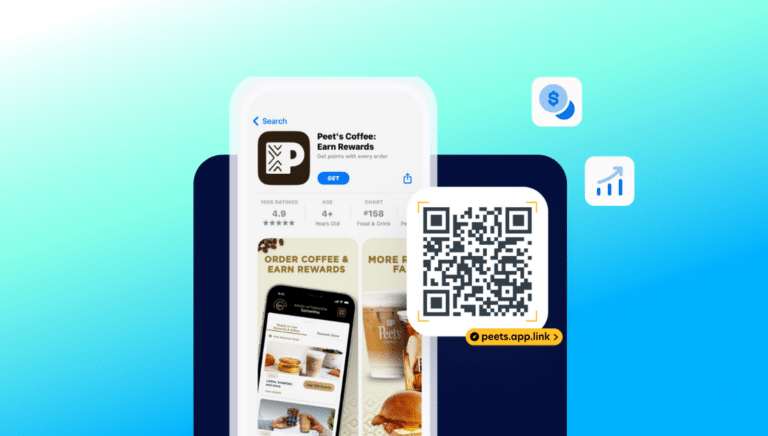
Kentucky Fried Chicken: How QR Codes and a Pub Drove an 85% Lift in App Installs

QR CODES
Turn offline audiences into app users
Quick response (QR) codes have become increasingly popular in the world of mobile marketing. In 2022 alone, approximately 89 million smartphone users in the U.S. scanned a QR code on their mobile devices, up by 26% compared to 2020. The two-dimensional bar codes allow businesses to bridge the gap between offline and online experiences — all while providing seamless experiences for users.
For mobile marketers, QR codes present massive opportunities to engage and attract users. Whether it’s driving app downloads, enhancing user engagement, or boosting conversions and sales, QR codes offer a convenient and effective means to engage with a target audience.
QR codes are scannable barcodes that direct users to a unique URL. Though the technology has been around for decades, the pandemic’s demands for touchless transactions skyrocketed the use of QR codes. Now, they’re a staple in marketing strategies across various industries, including retail, travel, finance, media and entertainment, and healthcare.
The high-density, two-dimensional codes can be scanned by mobile devices or dedicated QR code readers. When a user scans a QR code using their smartphone’s camera, the device decodes the information to direct the user to a landing page, an app download prompt, or in-app content.
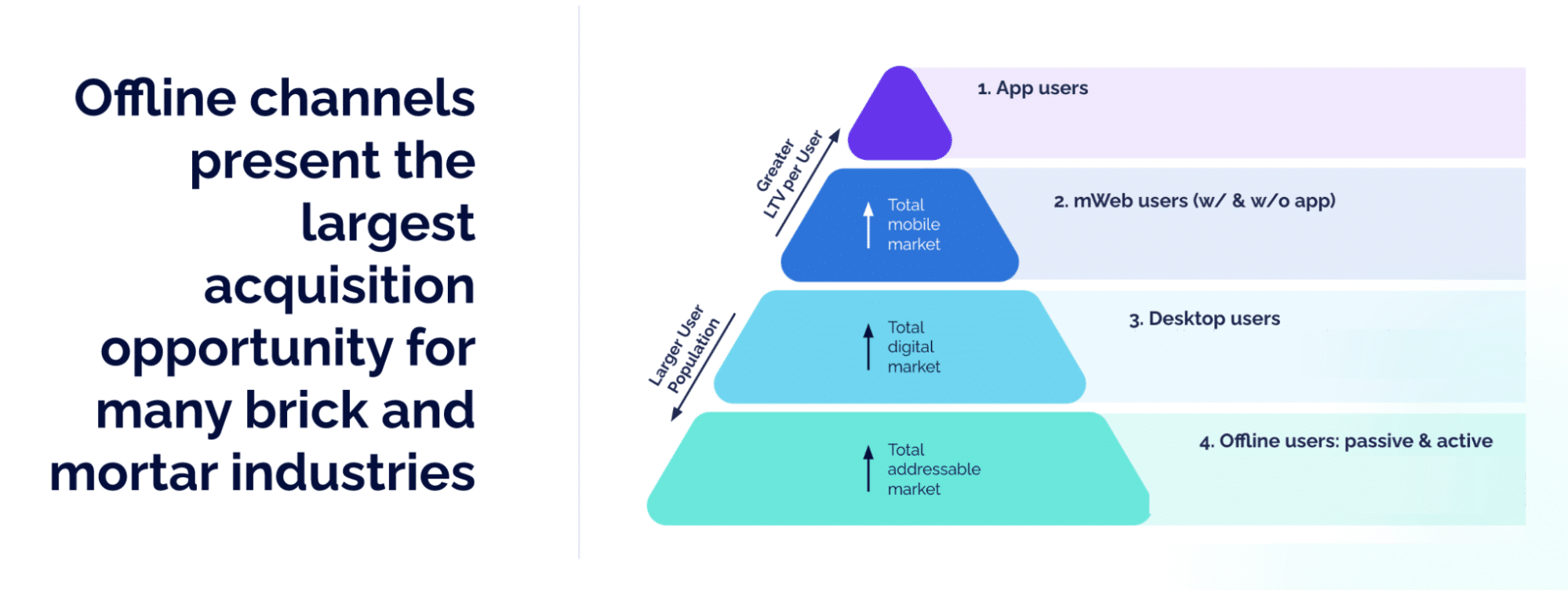
Mobile marketers shouldn’t ignore the power of QR codes when thinking about their digital marketing strategies. When done right, QR codes can turn offline user populations into highly engaged app users by providing a seamless path to app content, creating engagement opportunities, and facilitating mobile commerce and in-app purchases.

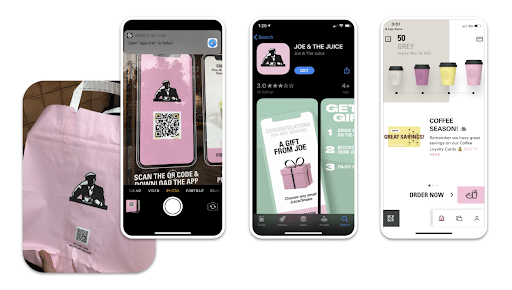
App users are over three times more valuable than offline or web users. By leveraging app-optimized QR codes across web, desktop, and offline channels, marketers can direct customers to their app, converting casual shoppers to high-value app users. QR codes help brands grow their app user base by sending new users to the Android or iOS app store via deferred deep linking, then taking them to their desired content in the app for a great first impression.

Marketers can also use QR codes to incentivize existing app users to engage with their app. For instance, savvy brands incorporate QR codes in-store so shoppers can scan to learn more about a product. Special offers like exclusive content and features, discount pricing, or loyalty rewards all encourage users to return to an app. By linking directly to product pages, shopping carts, or automatically applying discounts and coupon codes, QR codes increase the likelihood of conversions.
Not all QR codes are made equal. To get users from scanning a QR code to downloading and engaging in your app, the user experience needs to be near-perfect. When building a mobile marketing strategy around QR codes, consider:
1. Looks matter
Create custom QR codes by personalizing them to the brand or app identity. Add colors, brand elements or logos, or images to capture attention. But, make sure they’re still scannable. QR codes should be no smaller than 2 cm by 2 cm — and at least 240 pixels. Find a balance between a reasonable size for your marketing materials and the potential customer’s scanning distance.
2. It’s all about placement
Place QR codes where customers are most likely to see them in their digital and physical environments — when they walk into a store, are waiting in line at checkout, or receive a package in the mail. The options are endless, but some include:
3. Include a clear call to action (CTA)
Potential users aren’t likely to scan a QR code unless there is a compelling reason or benefit. Specific CTAs like “Scan to receive a special discount,” “Scan to access exclusive content,” or “Scan to enter the giveaway” help users understand what to expect when scanning.
4. Scalability is key
Creating a one-off QR code takes seconds with a QR code generator, but incorporating them into an enterprise marketing strategy is more complex. To scale, mobile marketers need to be able to create and customize codes for various channels and marketing campaigns. Use dynamic QR codes to update existing links in real time and ensure content is always up to date. Programmatically creating QR codes via SDK or API can speed up workflows, eliminate developer work, and scale to enterprise-level traffic.
5. Measurement and attribution are a must
Like any other marketing strategy, measuring QR code performance metrics is key. Just knowing the number of scans isn’t enough. For mobile marketers aiming to drive app downloads and engagement, it’s critical to tie app activity back to the QR code that drove it, including the specific store, product, or email the QR code was scanned in. Accurate attribution helps marketers optimize their strategies, allocate resources, and maximize return on advertising spend (ROAS).
QR code checklist
Most QR codes aren’t optimized for app user acquisition and engagement efforts. Customers who scan a QR code should always be deep linked directly to the intended in-app content. If they don’t yet have the app installed, deferred deep linking can route new users through the Apple App Store or Google Play Store to install the app and automatically navigate them to the original content, maintaining the user’s context through the entire journey.
Alternatively, if QR code campaigns are not optimized with deep linking, users are directed to the app store then met with a generic home screen once they download the app. They then have to manually search for the content they wanted when they first scanned the QR code, adding friction and frustration to the experience. Or worse, users are taken to a webpage even if they already have the app downloaded. Deep linking facilitates a smoother transition from an offline touchpoint to the app, increasing the likelihood of app adoption and usage.
To create and manage the links that power QR codes at scale, brands use mobile linking and measurement solutions, which equip QR codes with powerful deep linking functionality and fallback mechanisms. This ensures users who scan QR codes are taken to the right app content, not an error page or out-of-date destination.
Handling QR codes at scale is essential for successful app marketing campaigns, especially when dealing with high-traffic events or TV ads. Linking solutions allow marketers to programmatically create and manage hundreds or even thousands of custom, branded QR codes and dynamically update the link data behind them so campaigns remain fresh and relevant.
Linking and measurement solutions also provide advanced attribution capabilities, allowing marketers to connect the dots between offline QR code activations and down-funnel events. By tracking the user journey from the initial QR code scan to subsequent app activities, marketers get a fuller picture of QR code performance and make data-driven decisions to optimize future campaigns. Plus, marketers can benchmark QR code campaigns against other marketing campaigns to identify the most impactful channels and tactics.
 Deep linking is a technique that allows users to navigate directly to content within a mobile app, rather than a generic homepage. Traditional deep links route users to app content as long as the app is already installed when the link is clicked, while deferred deep links can route users to specific content through install. Branch Engagement offers deep linking and attribution across paid, owned, and earned channels.
QR codes are only as effective as the link behind them. By leveraging deep-linked QR codes, you can turn offline audiences into loyal app users and achieve your app growth goals.
Whether you’re just getting started or are looking to take your existing QR code strategy to the next level, check out Branch’s QR code solution. For more details, contact our team.