

This blog post was originally published in 2015. You can read one of our newer posts to learn how to deep-link from Facebook.
Nearly two years ago, we asked Facebook to enable deferred deep linking. We’ve pushed for it ever since, and with F8, we see light at the end of the tunnel. Now that Facebook supports deep linking through its install ads, we’re taking a look at what the platform gets right, what it gets wrong, and its overall usefulness for anyone buying app install ads on Facebook.
What are Facebook App Links?
They aren’t actually links—at least, not by any definition we know. App Links are essentially Open Graph metatags with modified property labels. These tags live inside of the header tags on your website. You need to figure out how to host them on a site if you don’t have one already. When the Facebook robot scrapes these tags to display a formatted post inside one of the native mobile clients, it knows how to deep link when the post is clicked. Here’s an example of the metatags from the best film on IMDB:
These tell Facebook how to open up the app. That’s it. They work on some Android devices, and they’re totally unsupported on iOS. They don’t work on Pinterest, Twitter, Email, SMS, or anywhere else—Facebook is the only platform that recognizes them.
How do they work?
It’s usually impossible to pass a deep link through the App Store or Google Play. Facebook’s snapshotting system (which is by no means unique) provides a way in: A user clicks on an ad in the native app, and Facebook saves that user’s IDFA or Google Advertising ID. After the user installs the app, the snapshotting system references the saved ID to say that the user came from an install ad.
How do I insert App Links into a Facebook install ad?
1. Create your deep link. (On Branch, ideally!)
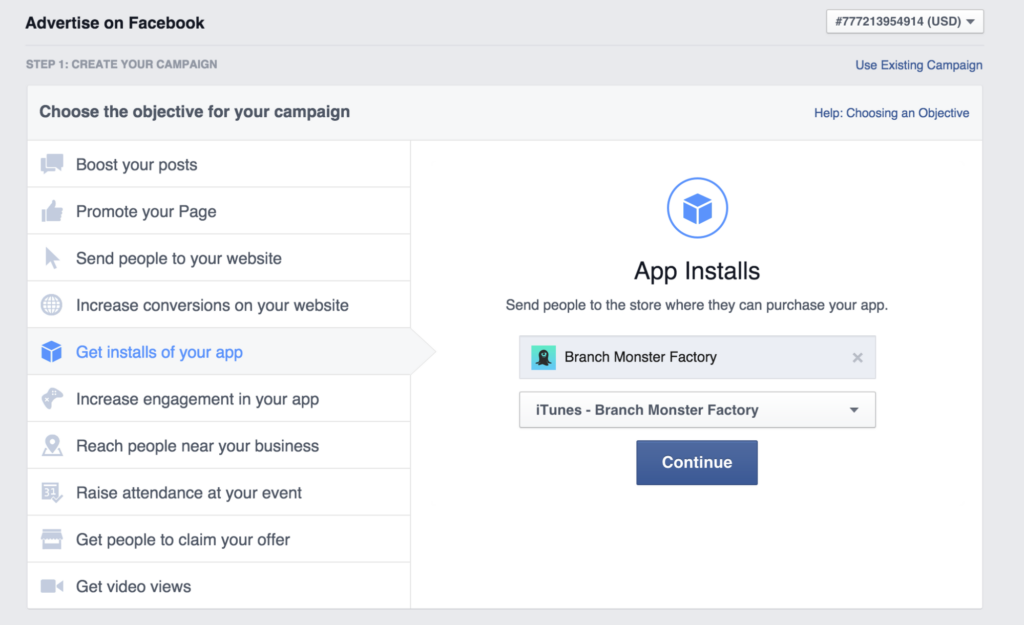
2. Go to facebook.com/ads, create a new app install ad, and select the app to advertise:
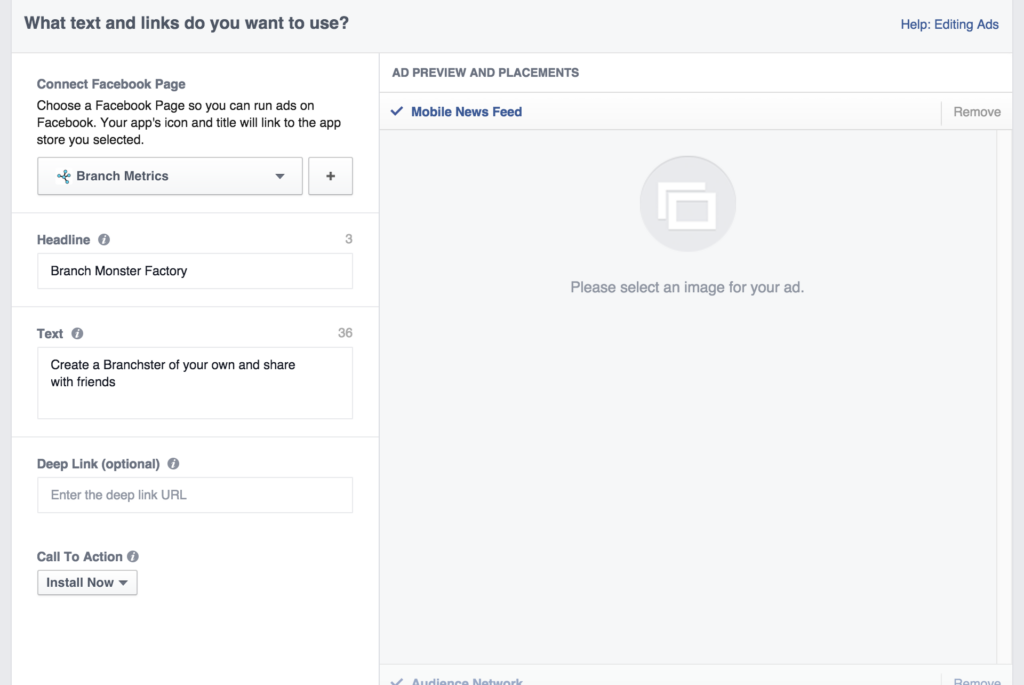
3. After you choose your audience and customize the display of the link, specify the deep link in the following section:
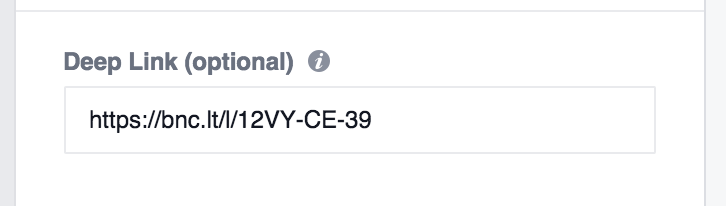
4. Paste the deep link into the optional field:
You’re all set!
What about testing Facebook install ads?
Testing Facebook install ads is next to impossible.
Install ad previews don’t deep link. We checked with a handful of Facebook reps to be sure. Clicking the preview button sends the ad to your phone, but the test ad doesn’t work with deep linking. It looks like the entire App Links system is disconnected from the preview system.
Like notification views don’t deep link. When a user likes an install ad, Facebook shows a notification in the ad creator’s account. Clicking the like notification will show you the live Facebook install ad itself, with all the likes and comments that it has accumulated, but this view doesn’t let you test App Links. Interacting with this ad will also not cost you money, as Facebook tracks that you were the owner.
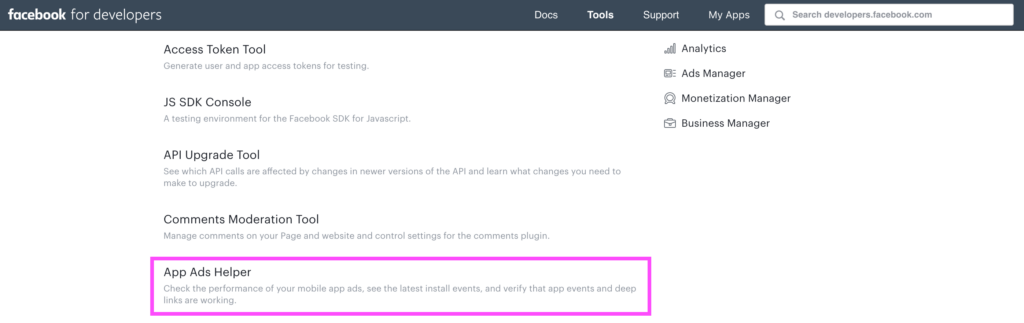
Testing with App Ads Helper tool is possible but tough. App Links can be deferred deep linked through facebook install ads with the App Ads Helper tool. Find it on the developer portal.
Here’s the workaround. It isn’t for the faint of heart:
1. Uninstall the app from your test device.
2. Go to developers.facebook.com, and under Tools & Support, select ‘App Ads Helper.’
3. Select the correct app from the pull-down menu.
4. Scroll down to the bottom. Click ‘Deep Link Tester.’
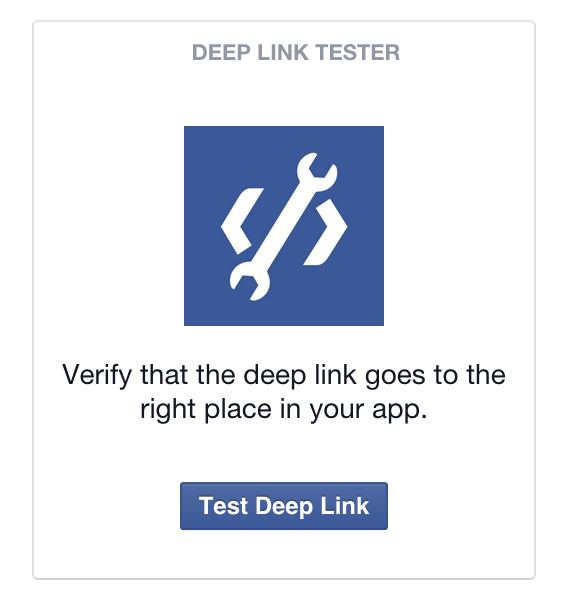
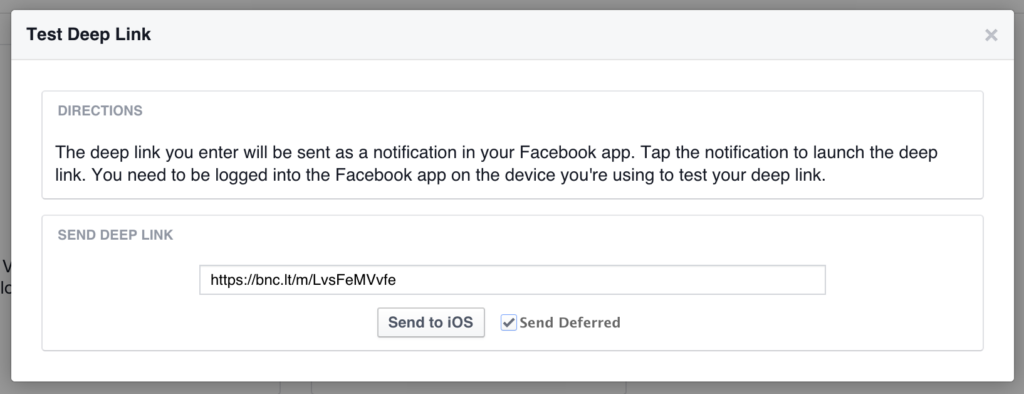
5. Paste in your deep link (again, ideally a Branch link!) and select ‘Send Deferred.’ Click ‘Send to iOS | Android.’
6. Install the app with your deep link routing configured. If you use Branch, initSession will call your deep link handler with the parameters stored in the link (see here).
Branch is better
Working with Facebook’s service means setting up App Links and hosting the metatags on your own site. There’s a better way.
Hosts and configure your App Links automatically
No need to modify a site’s code or host a new site—Branch lets users edit and configure App Links from a dashboard that creates unique links.
Supports all channels simultaneously
Branch deep links work outside of Facebook install ads. Email, App Indexing, App Invites—the list goes on.
Intelligent routing in all browsers on all platforms
Branch links give smart redirecting. One click, and the app opens—or, if the app isn’t installed, the user is sent straight to the appropriate mobile web page or app store.
For a more technical look at deep linking on Facebook, check out this blog.
Branch is now a Facebook Mobile Measurement Partner! This means that in addition to enhancing Facebook ads with deep links, Branch can also provide you with best-in-class attribution and analytics for Facebook app ads. To learn more, click here!